Gain speed and practicality with the updated Price Table feature
Published on6/27/2019
•
Last updated on11/27/2020
1 min read
It is now possible to create Price Tables in a more intuitive, practical and fast way.
What changes
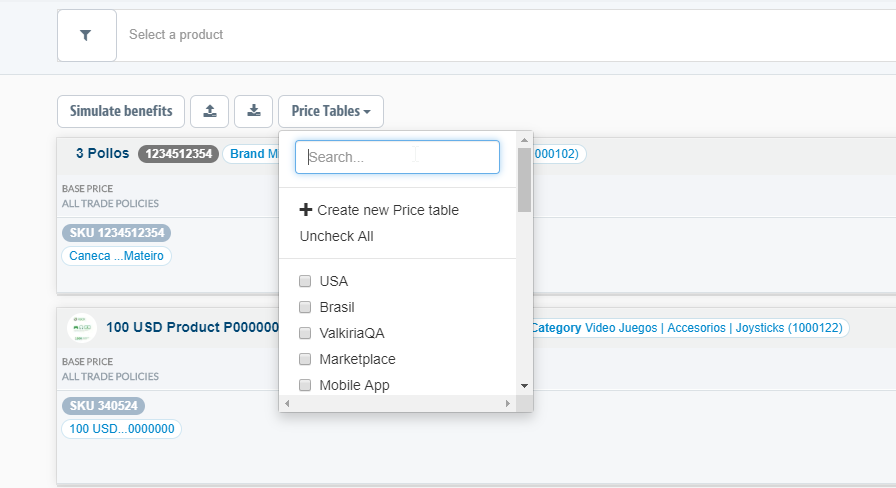
Before, to create a Price Table, it was necessary to acess the Prices module filter and enter the name of the table to be created. Now, we've added a new Price Table button that allows you to create and select the price table you want to view.
Advantages
In this update, you can create, find and view price tables more quickly and conveniently. The new button displays a very intuitive interface, which simplifies the user experience in managing Price Tables.
To learn more, access our tutorial on how to configure Price Tables.